
How to See Followers on Spotify: A Step-by-Step Guide

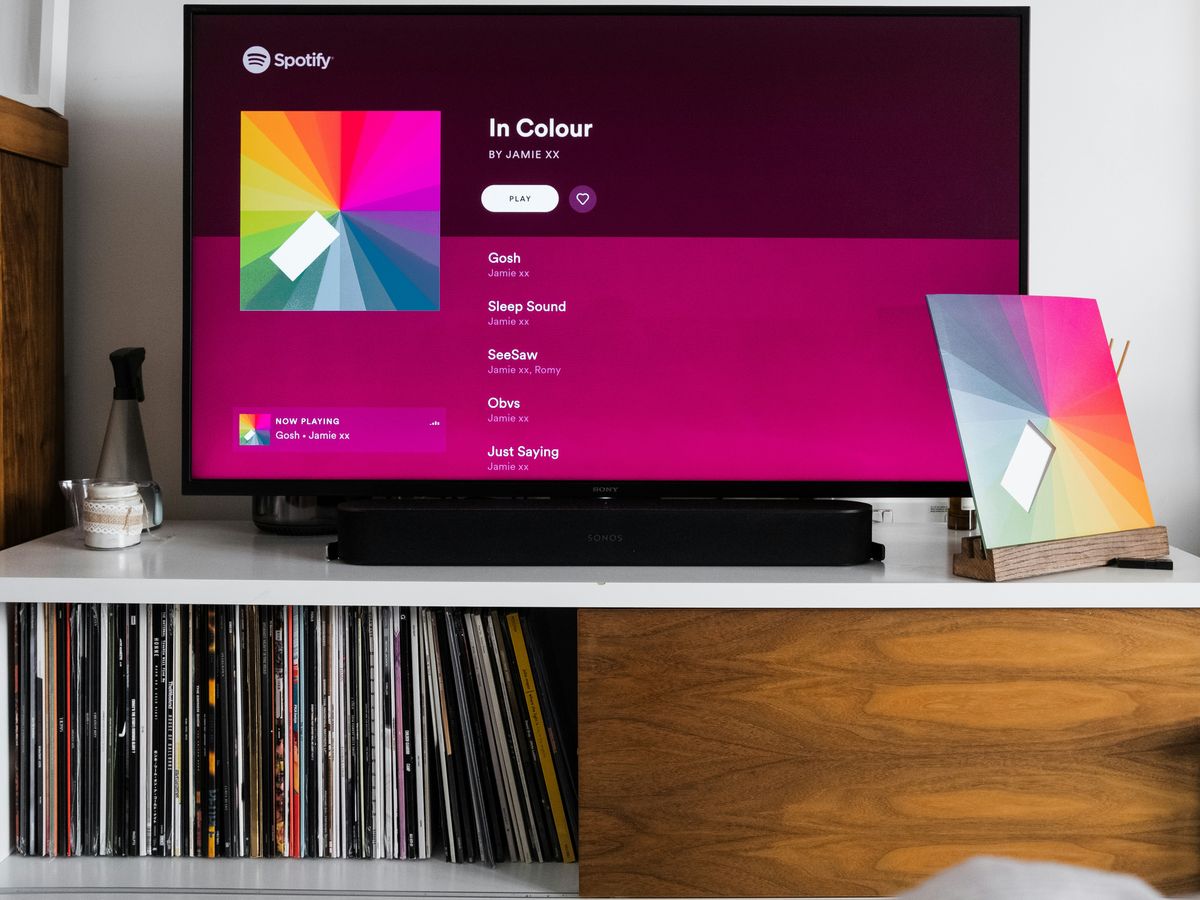
If you've ever wondered how to see followers on Spotify, you're not alone. Many users want to keep track of who is following their musical journey. In this guide, we’ll walk you through the steps to find your followers, understand their significance, and even tips on how to grow your follower count. Whether you're a casual listener or an aspiring musician, knowing how to manage your followers can enhance your Spotify experience.
Key Takeaways
- Open the Spotify app and log in to your account to get started.
- Access your profile by clicking on your profile icon in the app.
- You can find your followers in the Followers section of your profile.
- Make sure your playlists are public to attract more listeners.
- Engage with your audience to encourage more followers.
Getting Started With Spotify
Open The Spotify App
We begin by launching the Spotify app on our device. If it’s not already installed, grab it from your app store and install it quickly. Once opened, you'll notice the layout is clean and straightforward, meant to get us diving into our music without much fuss.
Some quick things to check:
- The home screen for the latest hits and recommendations
- Navigation icons that guide us through our playlists
- Quick access to new releases
Log In To Your Account
Now that the app is up and running, it's time to log in. We enter our email and password or pick a social login option - whichever is easier to remember. Logging in gives us personalized playlists and shows off our listening habits. In fact, if you're curious about a premium twist, our free trial offer might just be worth a peek.
A few points to consider when logging in:
- Double-check your credentials for a smooth login
- Use social sign-ins if you’re in a hurry
- Enjoy the tailored recommendations right off the bat
Navigate To Your Library
Once logged in, we shift over to our Library, the heart of our Spotify experience. Here is where all our saved playlists, favorite songs, and podcasts gather. Typically, the Library icon sits at the bottom of the screen, standing out as our personal music hub.
Let’s break down the steps with a quick table:
| Step | Action | Purpose |
|---|---|---|
| Open App | Launch Spotify | Get started with your listening journey |
| Log In | Enter your credentials | Access personalized music and features |
| Library | Select the Library icon | Find all your saved content |
Remember, our Library is where we keep our music world in order. It’s our personal corner for every tune we love, making it easier to pick up where we left off.
And that wraps up our starting guide. With these steps, we’re all set to explore what Spotify has to offer. Enjoy the music!
Finding Your Profile
Click On Your Profile Icon
When we want to see our Spotify profile, the first step is to tap our profile icon. It’s usually at the top right of the app, often showing a picture or our initials. We just click it and watch a menu drop down. A small reminder: your profile icon tip can help you spot it if you're in doubt.
Access Your Profile Page
After clicking the icon, the next move is to select the profile option. This might come as a simple button labeled “Profile.” Here’s what we typically do:
- Tap on the icon.
- Look for the option called Profile in the menu.
- Hit that option to jump into our profile page.
Below is a quick look at what you might see on your page:
| Metric | What It Shows |
|---|---|
| Followers | Number of people following you |
| Public Playlists | Count of playlists that are public |
| Account Detail | Info like your username info |
This table helps us remember the key parts of our profile.
View Your Profile Details
Once we’re on the profile page, we get to see all the details about us. This includes our username, our follower count, and other basic info. Your profile details reflect your musical journey on Spotify!
Our profile page is like our personal storefront. It shows off who we are on Spotify and all the cool stats, so we like to keep it neat and updated. Check out the username details for a quick tip on what’s unchangeable.
That’s how we roll when finding our profile on Spotify—quick, simple, and all in one place.
Discovering Your Followers
Locate The Followers Section
We start by opening up our profile and looking for the section that shows our follower count. This area is usually easy to spot next to our playlists. Here’s a simple way to find it:
- Open your profile page.
- Look for the follower count or the section labeled with followers.
- Tap that area to see everyone who’s following us.
It’s kind of like visiting the community profile to get a snapshot of our network.
Understanding Your Follower List
Once we tap into the followers section, we see a list of names and details about each person. It helps to know a few things about what we’re looking at:
- Some users might follow both our profile and our playlists.
- Others just follow our profile and check out what we’re listening to.
- We can tap on any name to get a quick look at their musical tastes.
It’s pretty cool to see our little music family all in one place.
Below is a simple table summarizing what we typically see in the list:
| Follower Detail | What We Observe |
|---|---|
| Profile Picture | Their avatar and name |
| Public Playlists | A glimpse of their music taste |
| Follower Count | A quick number snapshot |
What You Can See About Your Followers
When we browse through our list, we gather more than just names. We learn about how active our followers are and what playlists they enjoy. It gives us a chance to see details like:
- Which followers are also following our playlists.
- Basic info such as their profile picture and public playlists.
- How our community of listeners grows over time.
It feels really rewarding to understand the people connecting with us through music. Recognizing these details makes our experience on Spotify much more personal and fun.
Keep an eye on the list; sometimes patterns pop up that can guide us in improving our profile and playlist reach.
Exploring Playlist Visibility
Making Your Playlist Public
We all know that a public playlist can turn a quiet track list into a buzzing hub of activity. When we set our playlists to public, it means more listeners can discover our compilation of tunes, potentially lifting our profile among music enthusiasts. Here’s why it can be a game changer:
- More people can easily find and follow the playlist
- Increased interaction with our music collection
- Better chances to receive feedback and grow our musical community
Making your playlist public opens up opportunities to connect with more fans. Catch all the details on handling your privacy settings and making the best of your public playlist.
Checking Playlist Privacy Settings
Sometimes, it’s easy to miss if our playlist isn’t set up the way we want. We need to double-check these settings by hitting up the menu (often found as three dots at the top right of the playlist screen). Once we find the privacy option, we make sure that everything is in order. This little step helps us avoid any surprises and ensures that our playlist remains accessible to everyone who might want to give it a listen.
- Open your playlist
- Tap the menu or three dots
- Switch the setting to 'Public' if needed
It’s small actions like verifying these settings that keep our music sharing smooth and uncomplicated.
Why Public Playlists Matter
Public playlists aren't just about being seen—they play a vital role in how our music journeys unfold. Here’s a simple breakdown on why keeping your playlist public can be beneficial:
| Feature | Public Playlist | Private Playlist |
|---|---|---|
| Discoverability | High, boosts reach | Limited to known connections |
| Engagement | More comments and likes | Minimal interaction |
| Community Building | Easier to join forces | Harder to share broadly |
In short, when you share your creations with everyone, you invite new ideas and connections into our music circle. We really enjoy checking these out, and it’s a great way to see our follower count increase.
Benefits Of Having More Followers
Our journey on Spotify becomes a lot more fun and exciting when we see our follower count climb. More followers mean more people checking out our playlists and, in many ways, more chances for our music picks to be in the spotlight.
Increased Visibility
When we have a bigger following, our profile naturally gets more attention. This often leads to our playlists showing up more in recommendations and search results. We have noticed that even a small bump in followers can lead to a big jump in who sees our music.
Here’s a quick look at how our visibility metrics might change with more followers:
| Metric | Before More Followers | After More Followers |
|---|---|---|
| Playlist Mentions | 10 | 50 |
| Profile Visits | 100 | 500 |
| Listener Engagement | 20 | 100 |
Also, a Spotify playlist feature can significantly boost our chance of getting noticed by even more listeners.
Enhanced Engagement
We see that increased follower numbers often bring along a vibrant community. When a bunch of people jam along with our playlists, here's what we generally experience:
- More comments and messages about the tracks we share.
- Regular shares or mentions among friends, helping our profile spread.
- A friendly back-and-forth that makes our playlist feel like a mini-community hangout.
Even casual feedback becomes a lot more frequent, sparking interesting chats during our breaks.
Building A Music Community
Growing our follower base isn’t just about numbers—it’s about connecting with others who enjoy the same tunes. With more people following us, we build a little music family that can share recommendations, chat about new releases, and even swap playlists.
We truly believe that music is a team sport. When we band together and share our favorite jams, it creates a genuine sense of community that makes every listen even more special.
All in all, having more followers makes our Spotify space a lively spot where every track counts and every member’s voice is welcomed.
Tips For Growing Your Followers
Promote Your Playlists
We’ve found that getting our playlists out there is the best way to start. We keep our playlists updated and try out different themes to keep things fresh. One trick that really works for us is sharing our work on social media along with playlist tips to grab attention. Here’s what we do:
- Post regularly on platforms like Instagram and Twitter
- Experiment with different musical moods
- Use catchy titles to pique curiosity
Engage With Your Audience
We enjoy chatting with our listeners and making our space feel welcoming. Responding to comments and asking for feedback helps us keep the conversation going. Interacting directly always brings our community closer. This approach means we listen to what our followers want and adjust our playlists accordingly.
Collaborate With Other Users
Teaming up with fellow music lovers has been a fun and effective way for us to grow our followers. When we collaborate, we broaden our reach and introduce our playlists to new fans. Some ways we team up include:
- Creating joint playlists with other users
- Sharing each other’s music suggestions in our posts
- Organizing online listening sessions and discussions
Working together feels less like a chore and more like a fun jam session, where every beat counts.
Common Misconceptions About Followers
Can You See Who Likes Your Playlist?
We've noticed that a lot of us get stuck wondering if we can actually see who hit the like button on our playlists. The truth is, even if you have a bunch of likes, you won't get a complete breakdown of who did it. What we often see is that likes are just numbers adding to your overall appeal without giving away any personal details about the listeners.
- It doesn’t show detailed member information.
- It only displays an aggregate count.
- It’s used to boost the general visibility of a playlist.
Understanding Follower vs. Liker
We often get asked if there's a big difference between being a follower and being a liker. In our experience, the two actions are pretty close. Following a playlist means you check it out from time to time, while liking acts as a quick nod of approval. Both actions help in driving engagement, but they work a little differently.
Here's a quick look at what each term means:
| Term | What It Means | How It Works |
|---|---|---|
| Follower | Regular updates and engagement | Continuous check-ins |
| Liker | One-time show of support | Instant public recognition |
For a better grasp, you might want to check out some playlist myths that clear up these common mix-ups.
What You Can’t See About Your Followers
Even though it's tempting to know every detail about our audience, there are limits to what Spotify shows us. We can see the number of followers, but some details remain private for security and privacy reasons. Here’s what stays under wraps:
- Personal listening habits are not visible.
- Specific interactions beyond the follow count aren’t shared.
- Detailed demographic data is kept confidential.
It’s important for us to appreciate that while we love knowing our community, some information is hidden to keep everyone’s privacy intact.
Many people have wrong ideas about what followers really mean. Some think that having a lot of followers makes you popular, but that's not always true. It's more important to have real connections with your followers than just a big number. If you want to learn more about building genuine relationships online, visit our website!
Wrapping It Up
So there you have it! Checking out your Spotify followers is pretty straightforward once you know the steps. Just hop into your library, find your profile, and see who's been tuning into your music. While you can't see who follows your playlists directly, knowing your profile followers gives you a good idea of your audience. Plus, having more followers can really boost your visibility and help you connect with more music lovers. Now go ahead, explore your Spotify world, and keep those playlists fresh!
Frequently Asked Questions
How can I find out who follows my Spotify account?
To see your followers, open the Spotify app and log in. Go to 'Your Library,' click on your profile icon at the top, and then select 'Followers' to see the list.
Can I see who likes my Spotify playlists?
No, Spotify doesn't allow you to see who specifically likes your playlists. You can only see the total number of likes.
What are the benefits of having more followers on Spotify?
Having more followers can help your music get noticed, increase your audience engagement, and help you connect with other music lovers.
How do I make my Spotify playlists public?
To make a playlist public, go to the playlist, click on the three dots in the top right corner, and select 'Make Public' if it's set to private.
Can I see my followers' profiles?
Yes, you can click on a follower's name to view their profile, which shows their music tastes and public playlists.
Is there a way to promote my playlists to get more followers?
Yes! You can share your playlists on social media, collaborate with other users, and engage with your audience to attract more followers.